 Finder Spreadsheet
How to use Kakobuy and this Spreadsheet, step by step
The official tutorial counts eight steps from find to doorstep. This walkthrough keeps their numbering and adds the one thing the tutorial skips: the Chinese you meet at each step.
The official eight-step sequence
Step wording and image order checked against the official guide on 15 October 2026. These older screenshots illustrate the process; account values, prices, coupons and route lists are not current quotes.
Step 01 / 08
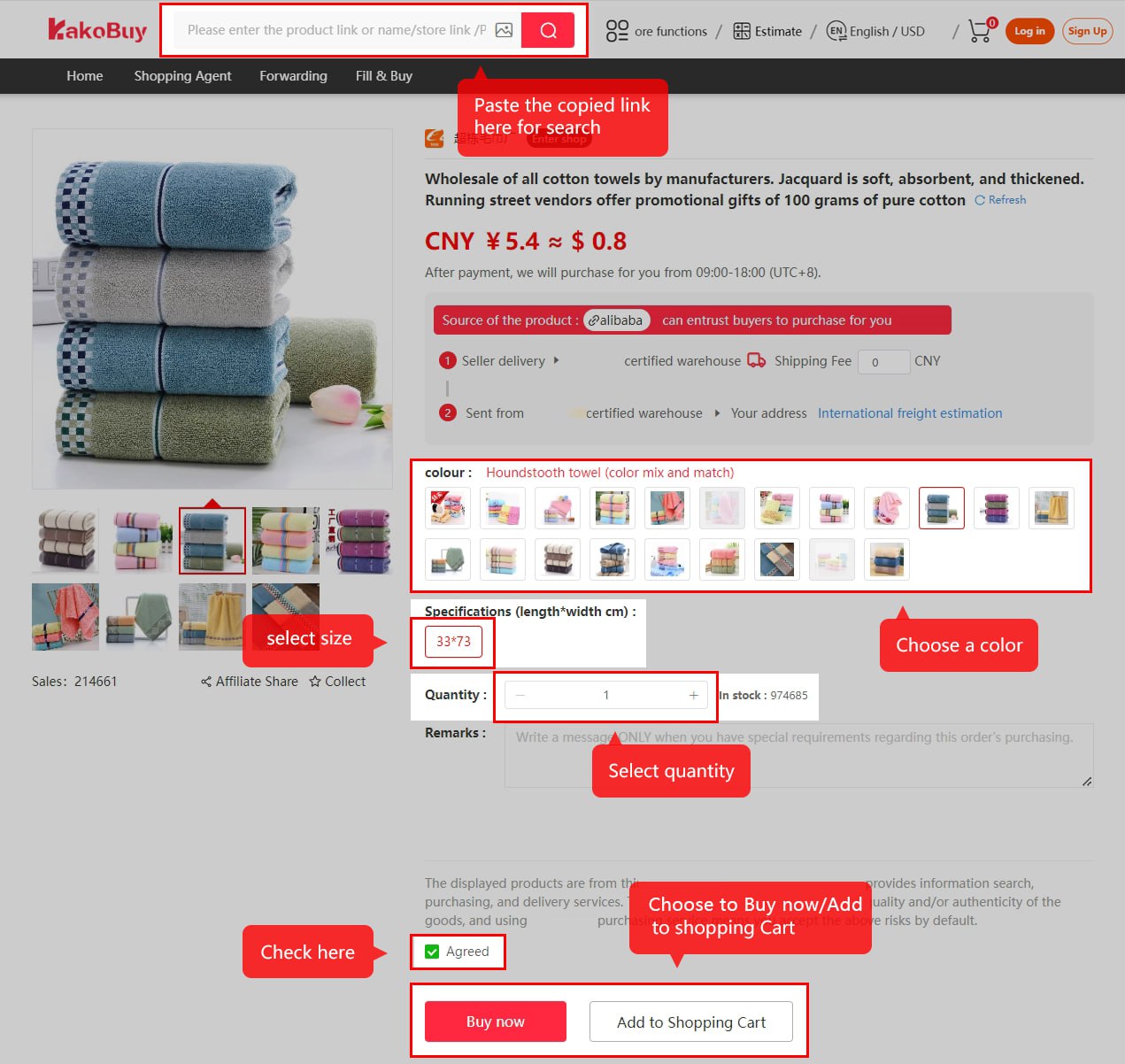
Select the product
商品链接 · product link
Use a seller URL, image search or keyword. Save the original listing so you can compare its specifications with the request. The official illustrations begin with copying and pasting a URL, then show image and keyword search.
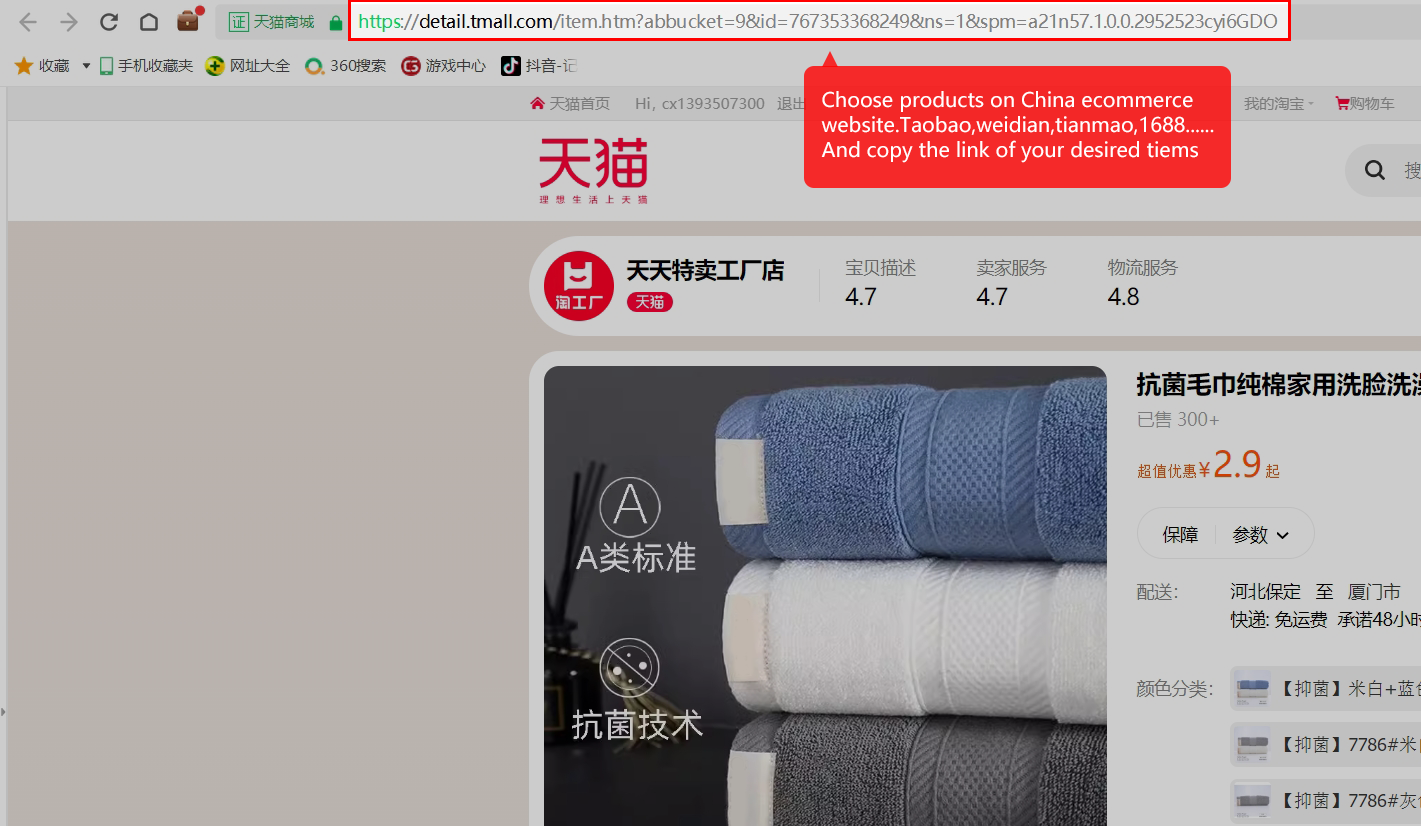
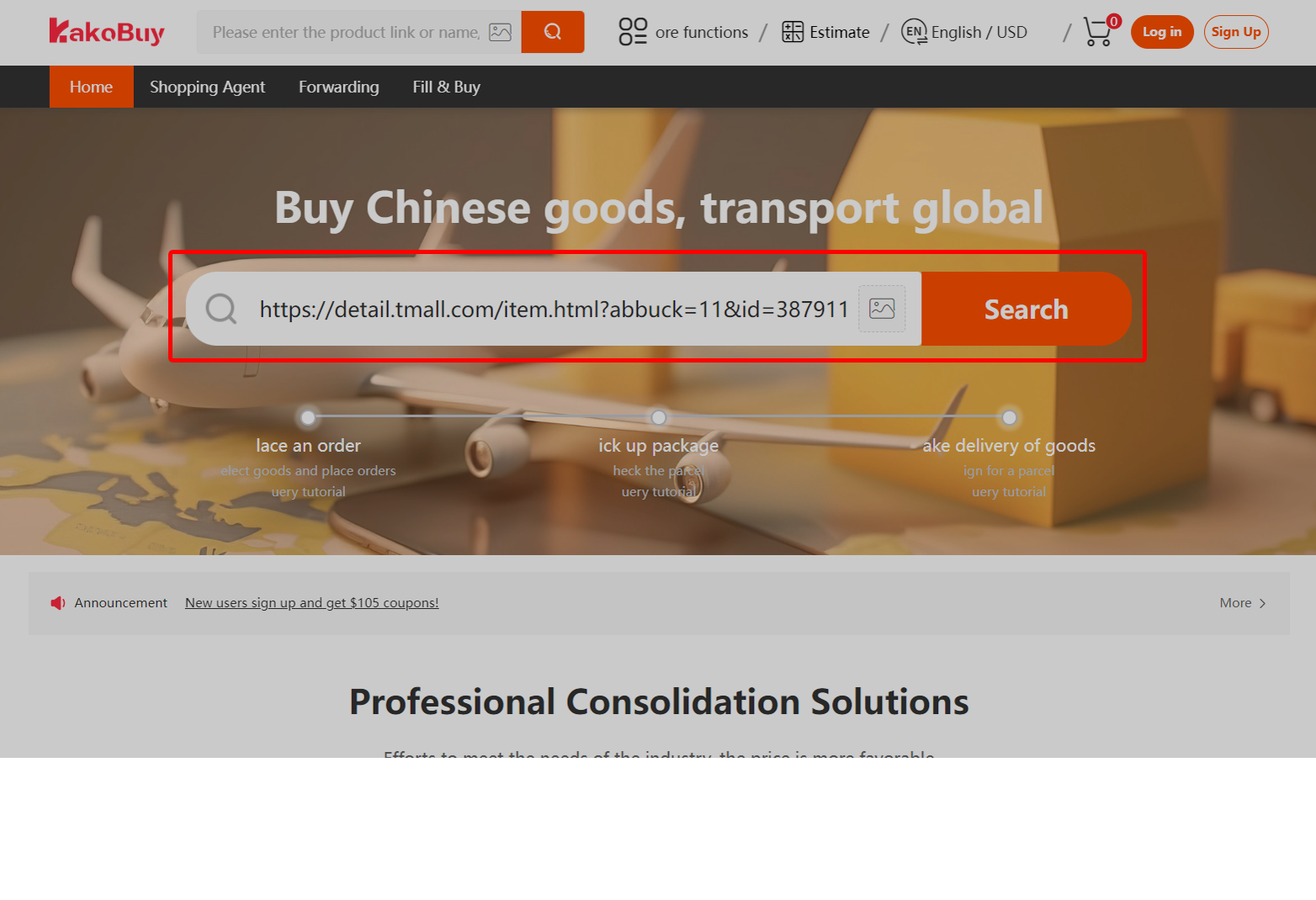
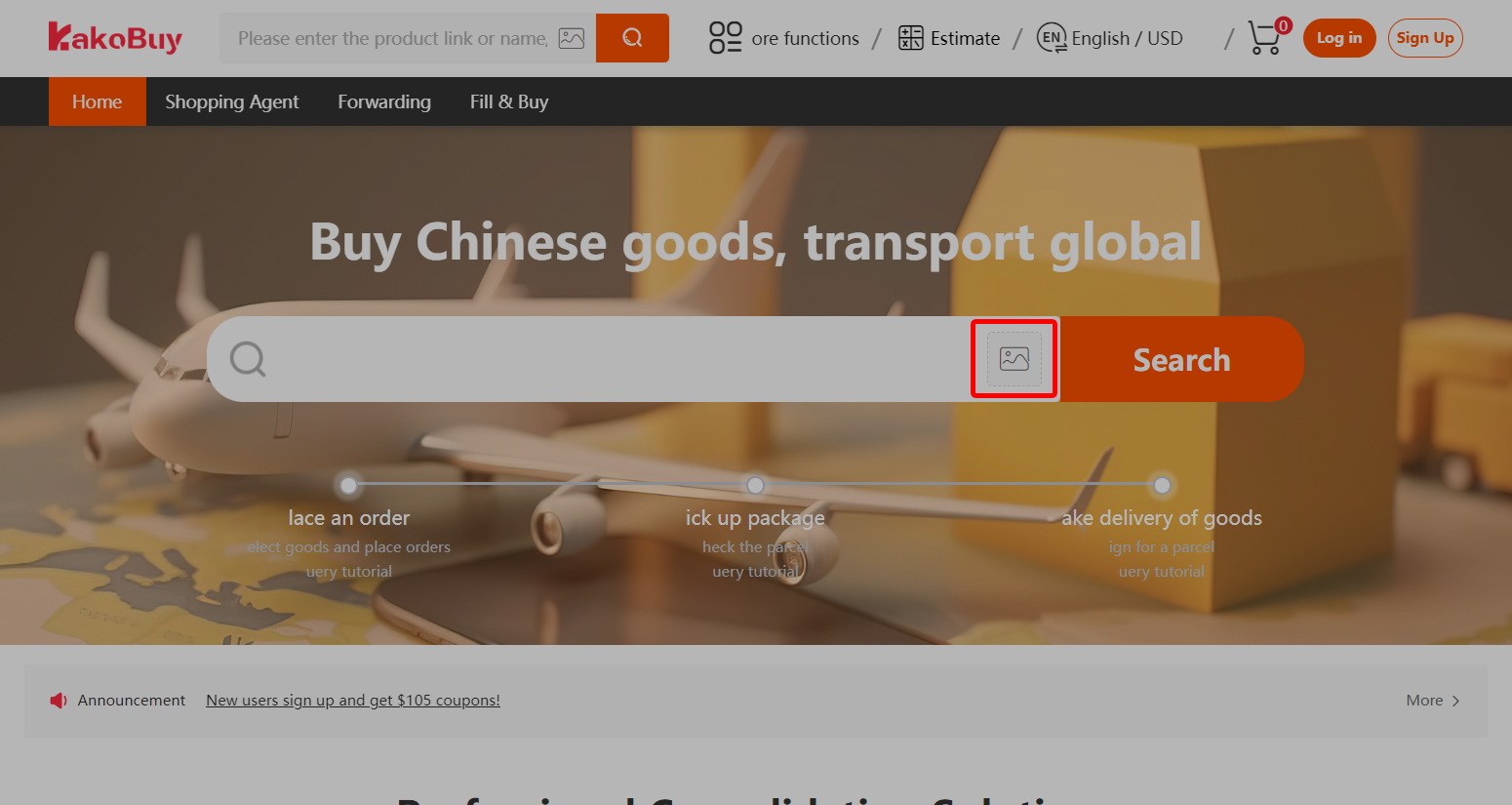
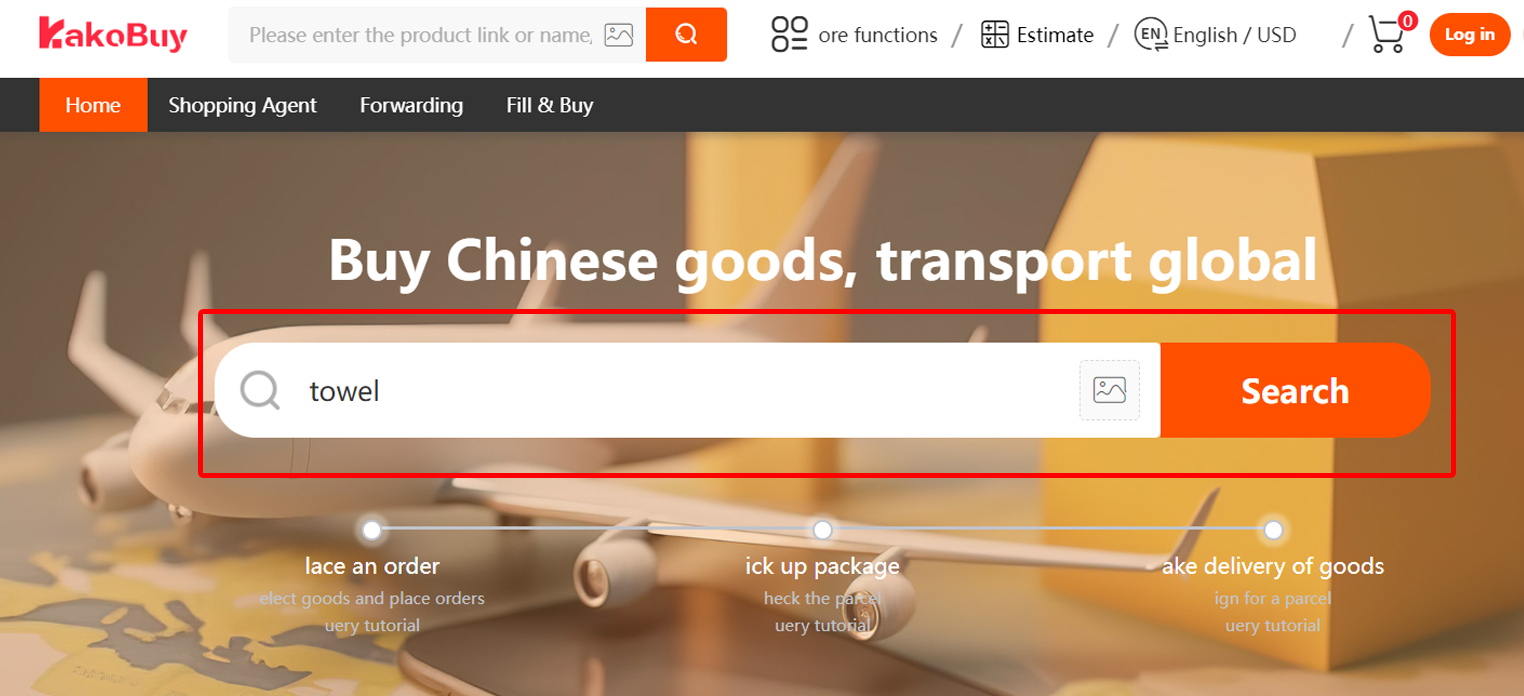
Step 02 / 08
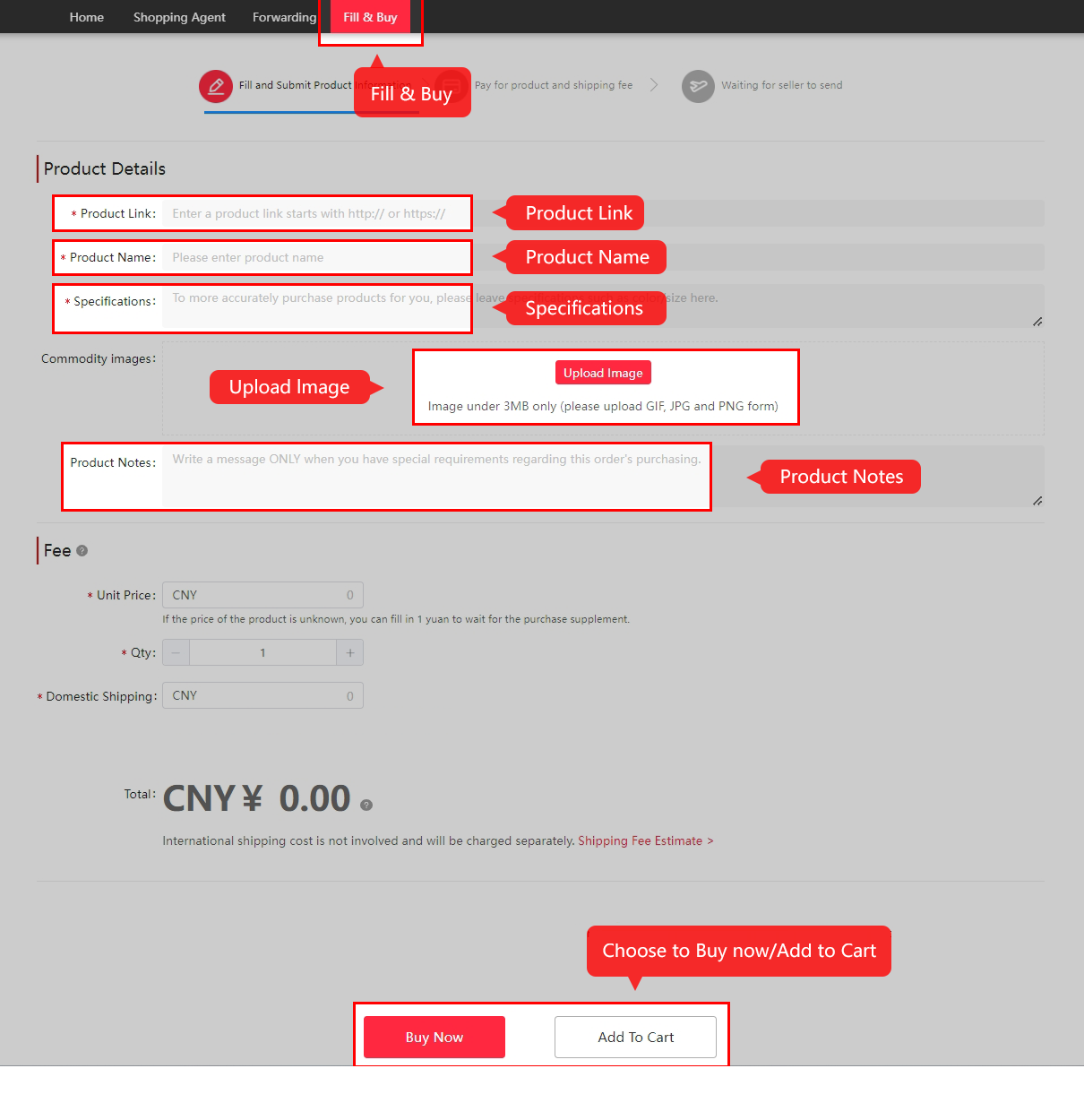
Submit the purchase request
颜色分类 · variant / 尺码 · size / 备注 · remark
Read the actual option text, quantity and measurement chart. A product photo may show several pieces while the selected row sells one. If a manual Fill & Buy request is needed, record the source URL and exact specification and check its service terms.
Step 03 / 08
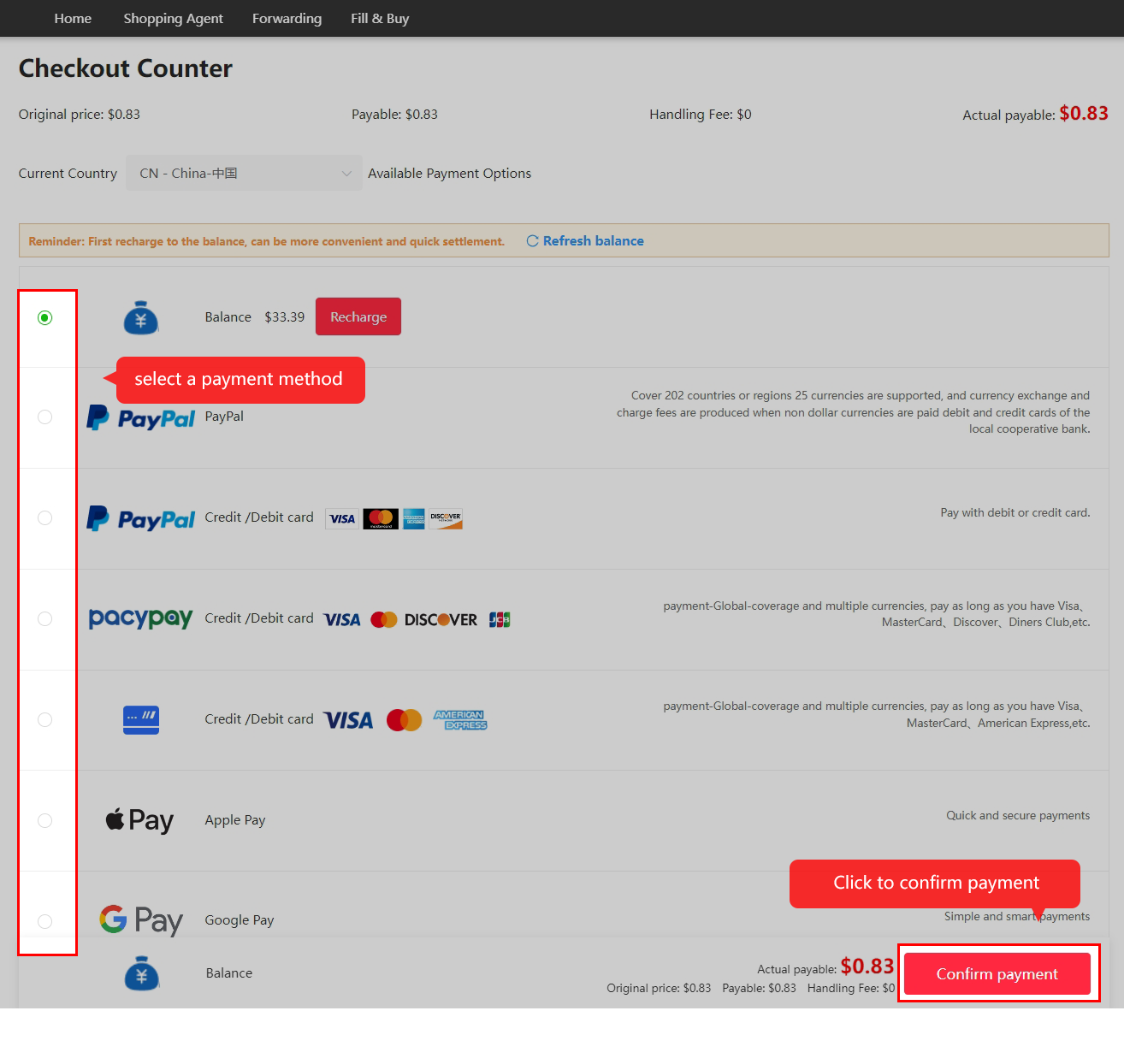
Pay for goods and domestic delivery
运费 · shipping fee
At this stage, the payment covers the purchase and the seller’s delivery to the warehouse. International freight is separate. Read the currency amount, handling fee and balance credited in the current checkout.
Step 04 / 08
Follow purchase and seller dispatch
已采购 · purchased / 已发货 · dispatched
Kakobuy reviews the request and orders from the seller. If stock or price changes, read the message before agreeing to a substitute or supplement. Review and domestic transit times vary; the older tutorial’s examples are not promises.

Step 05 / 08
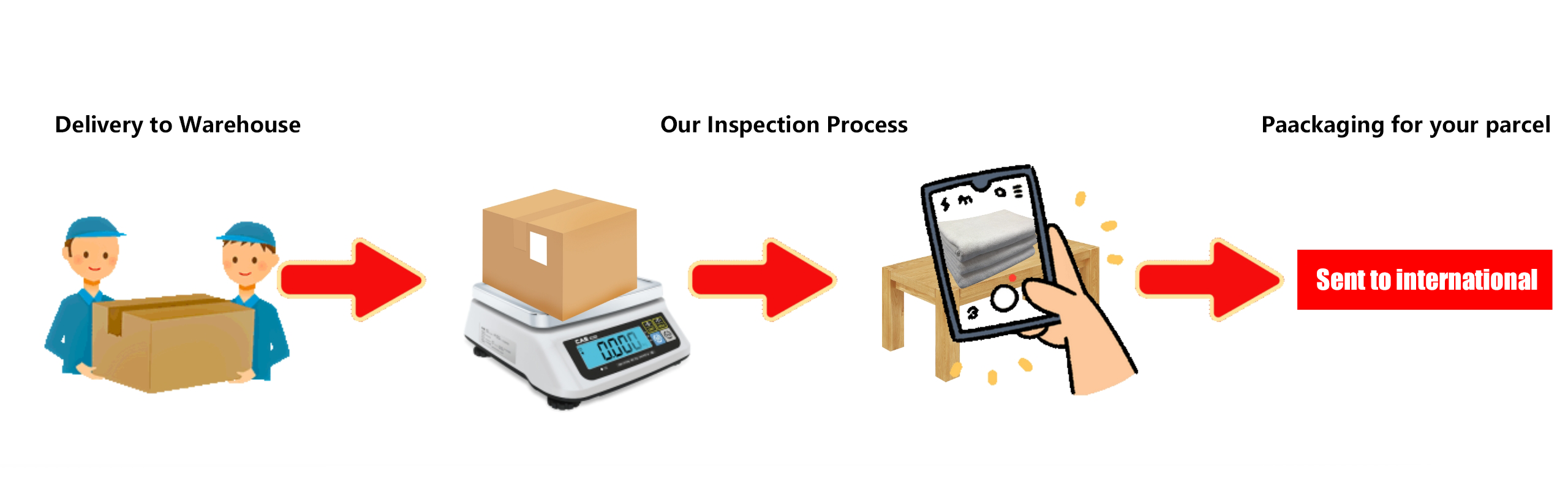
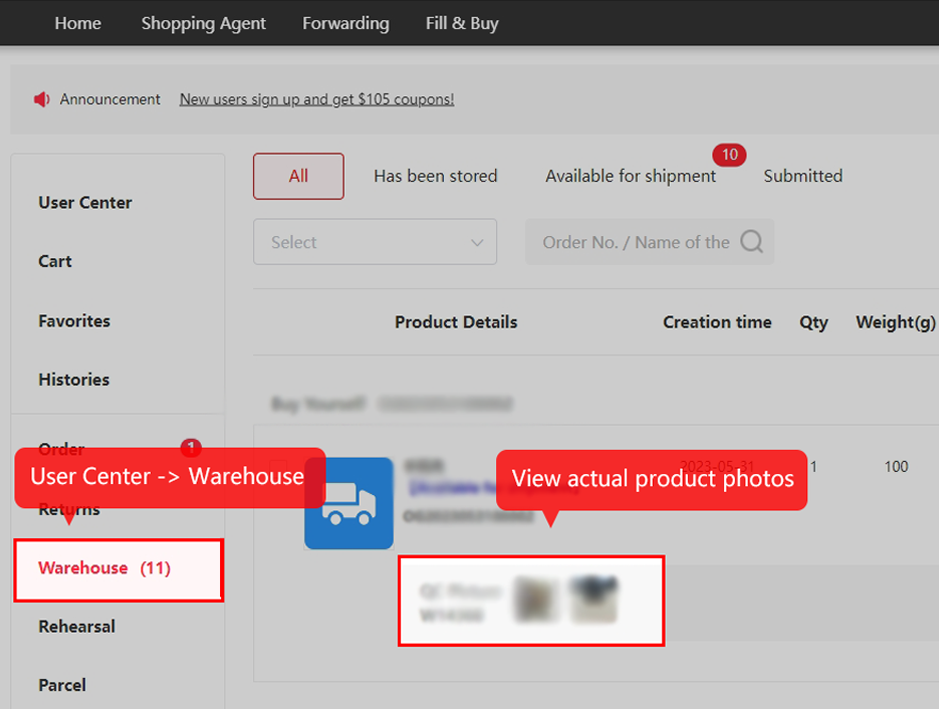
Inspect and store the item
已入库 · in storage
Compare the warehouse photos with the selected variant and listing. Read visible labels and request a specific measurement or detail when needed. Visual QC cannot establish every hidden defect, function or authenticity. Check the eligible return window promptly.
Step 06 / 08
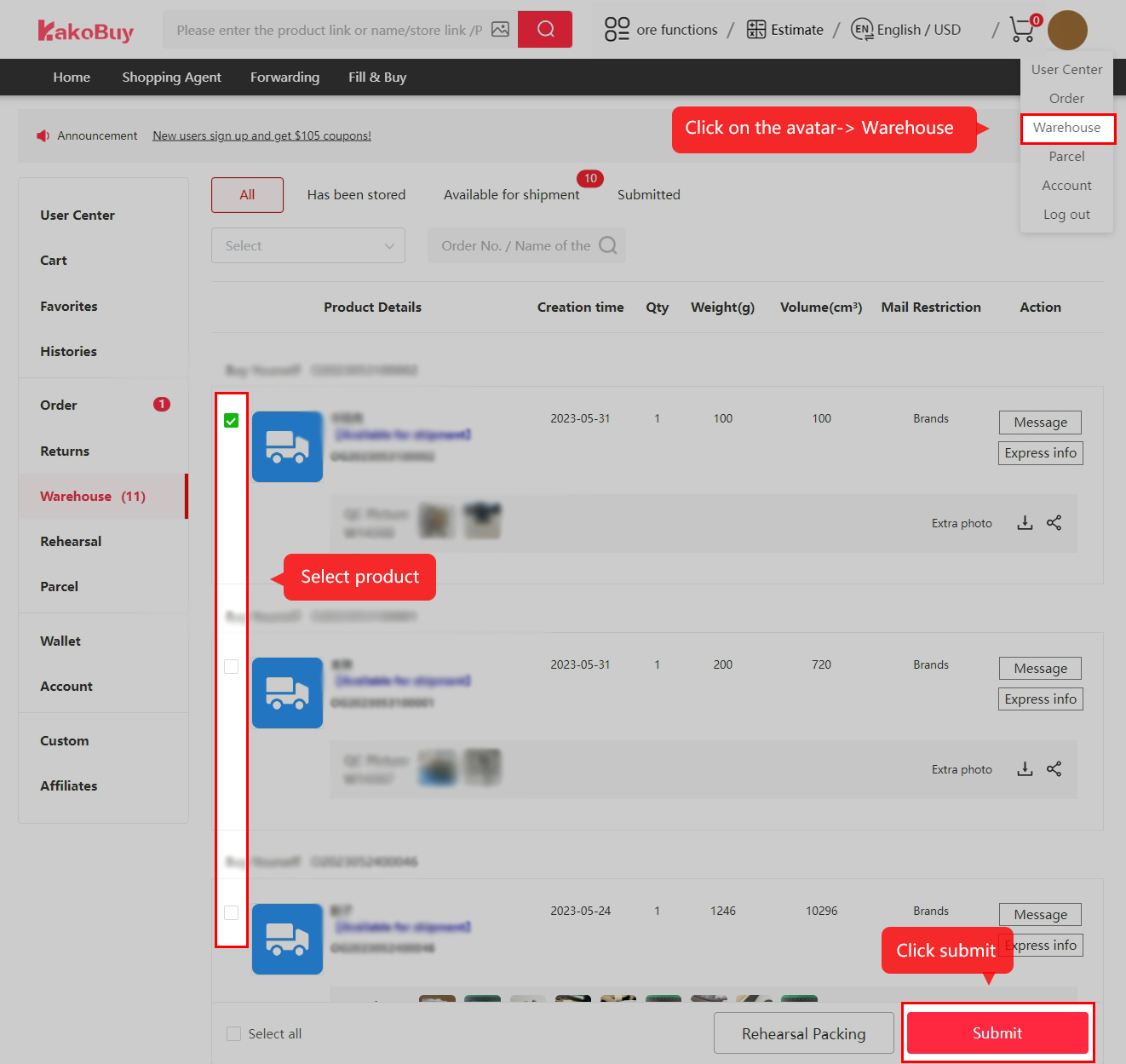
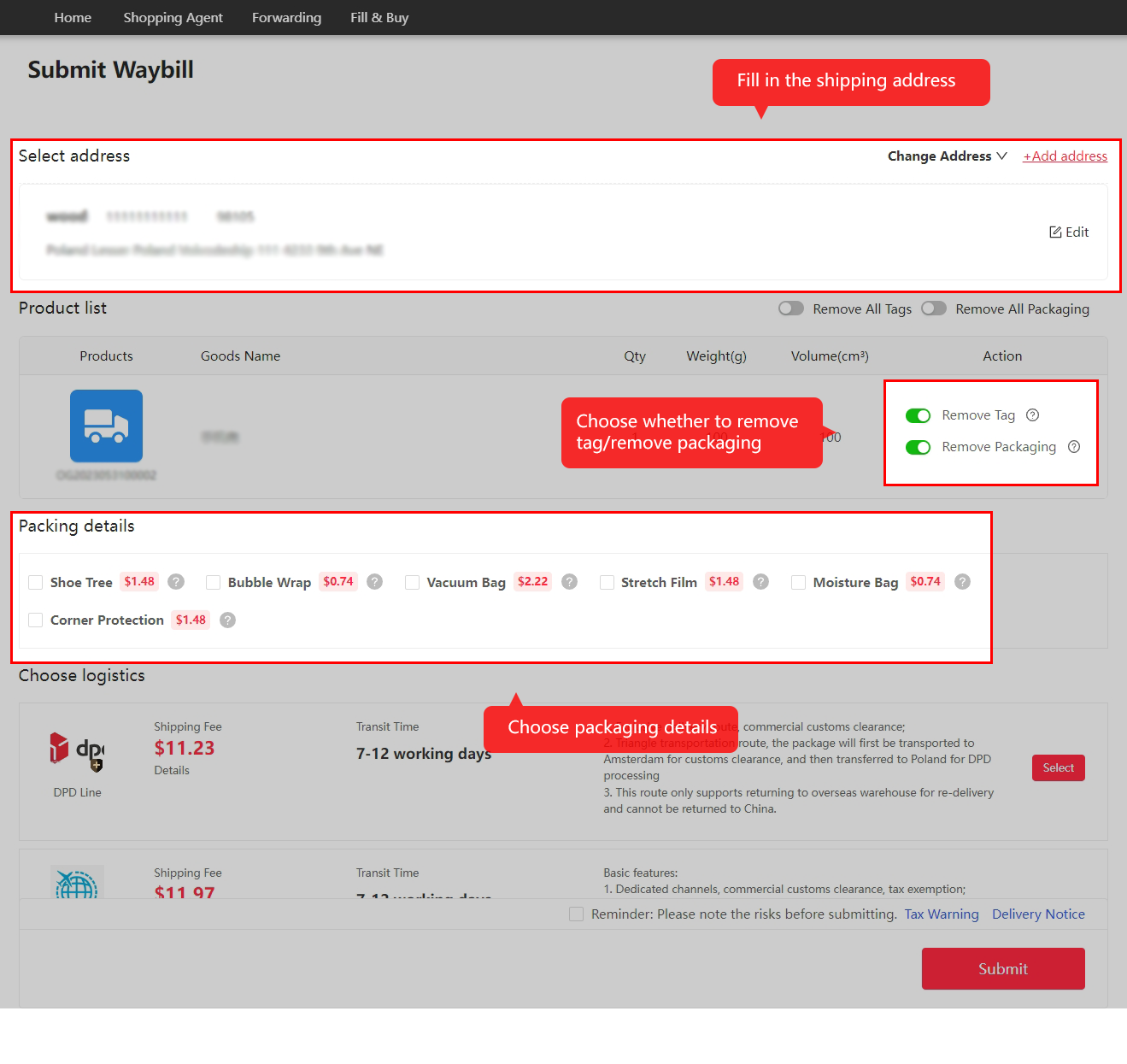
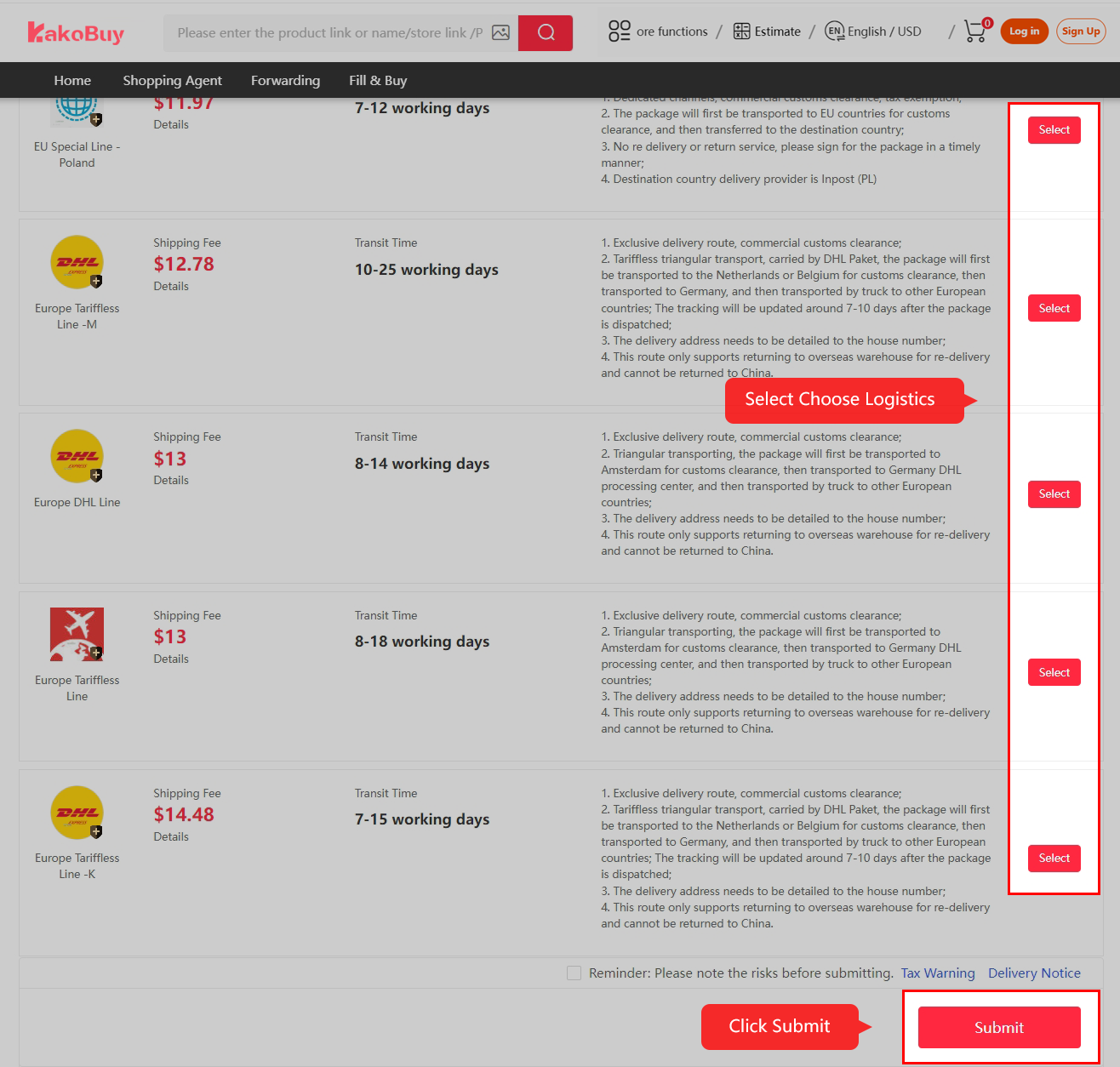
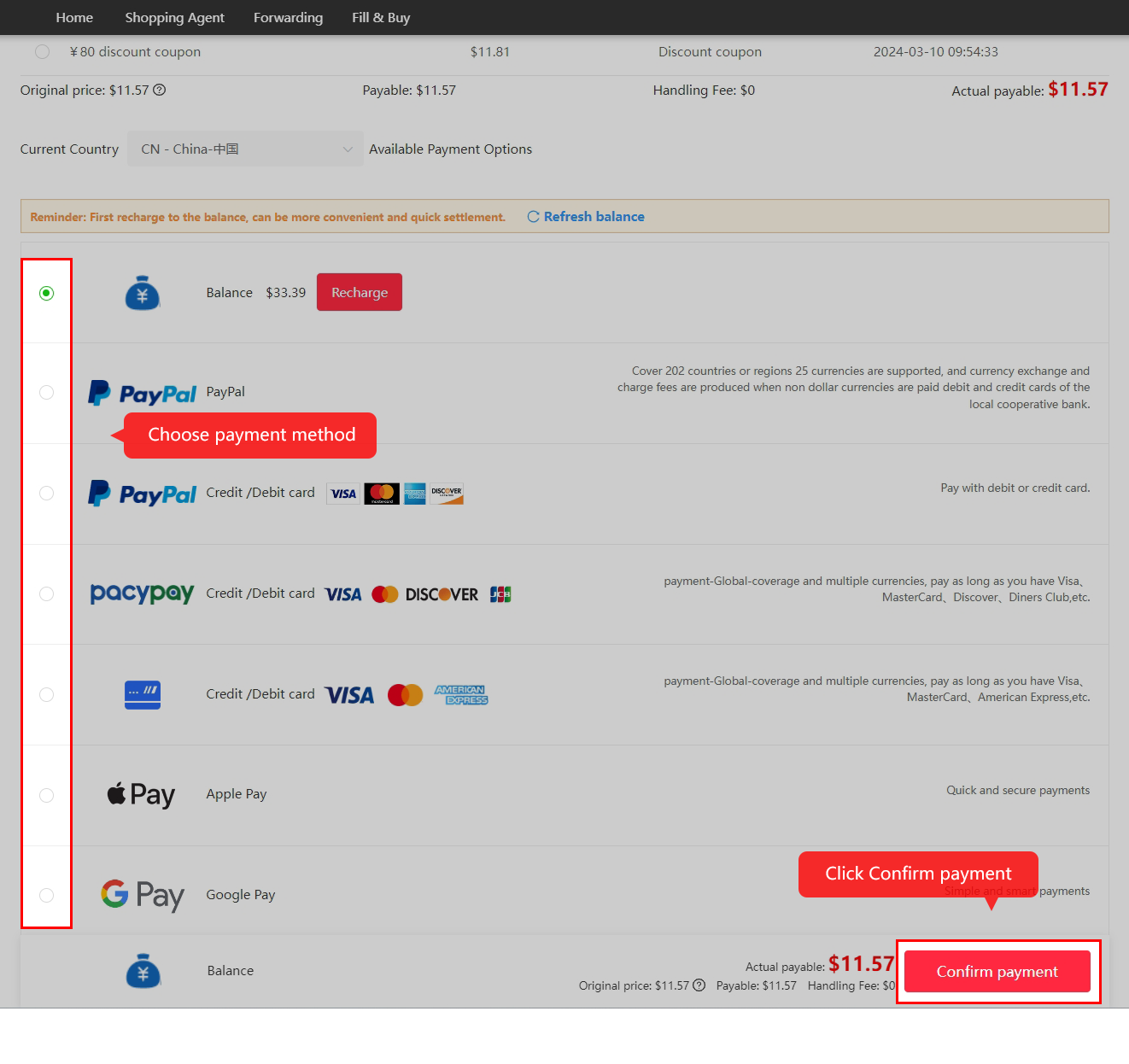
Submit and pay for international shipping
提交运输 · submit shipment
Select the items whose QC you have reviewed, confirm the address and packing, choose an eligible route and review the second payment. Net item weight is not always the packed chargeable weight. Check current restrictions, cover and any coupon conditions.
Step 07 / 08
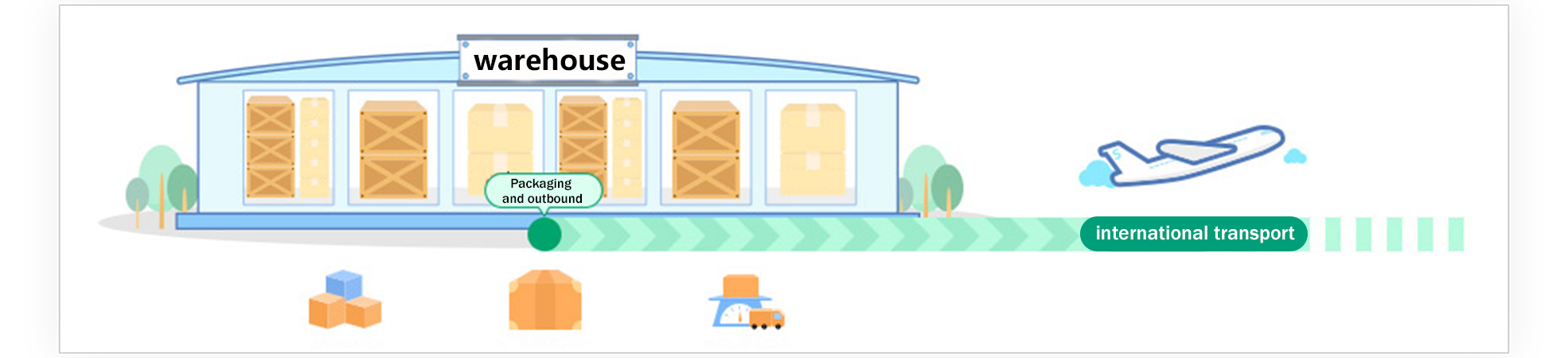
Follow packing and outbound tracking
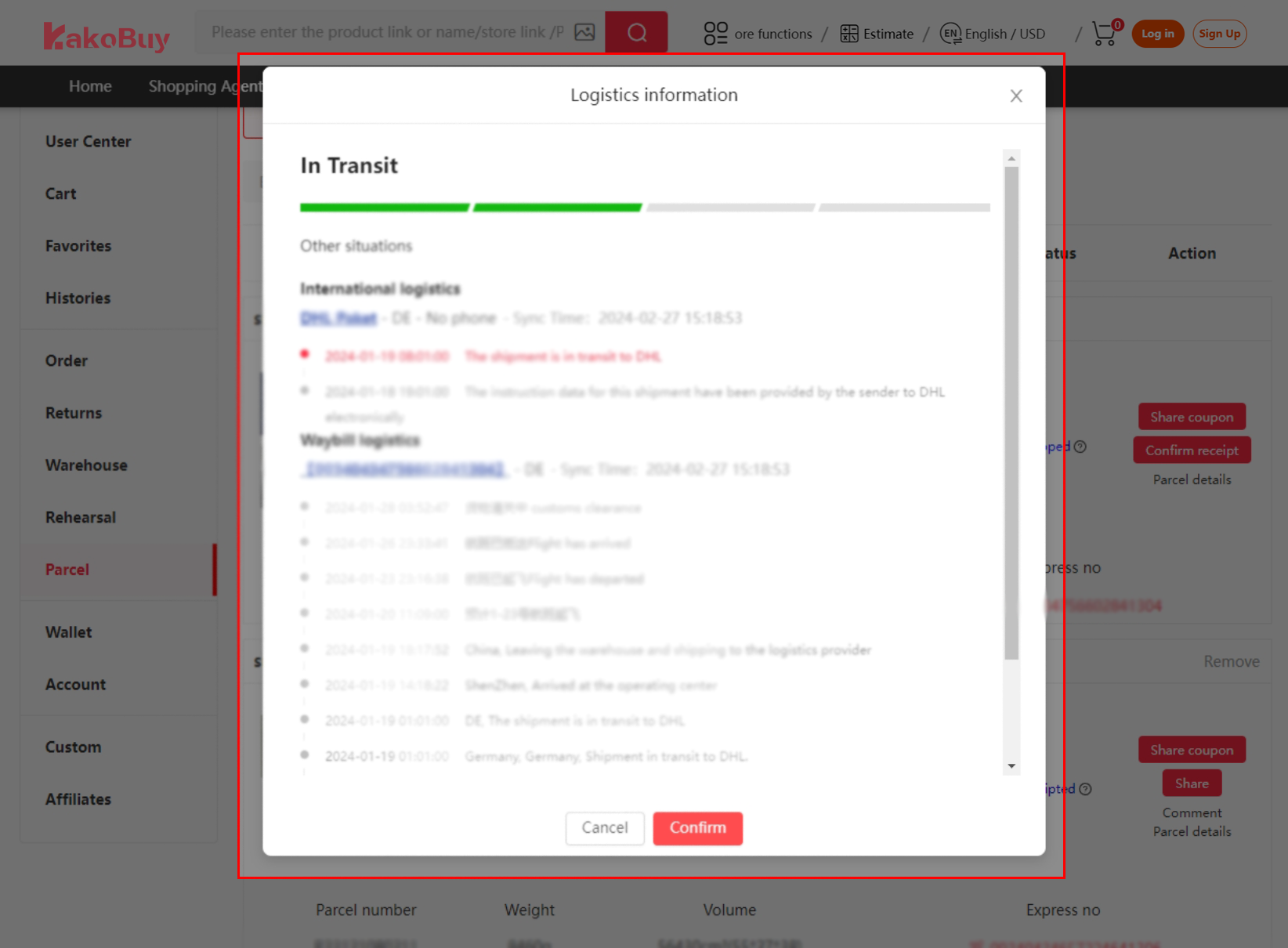
物流 · logistics / 追踪 · tracking
The warehouse packs and dispatches the parcel. Read any final weight or balance adjustment and keep the parcel reference. A gap between scans alone does not establish loss; use the actual tracking record when asking support.
Step 08 / 08
Check delivery and confirm receipt
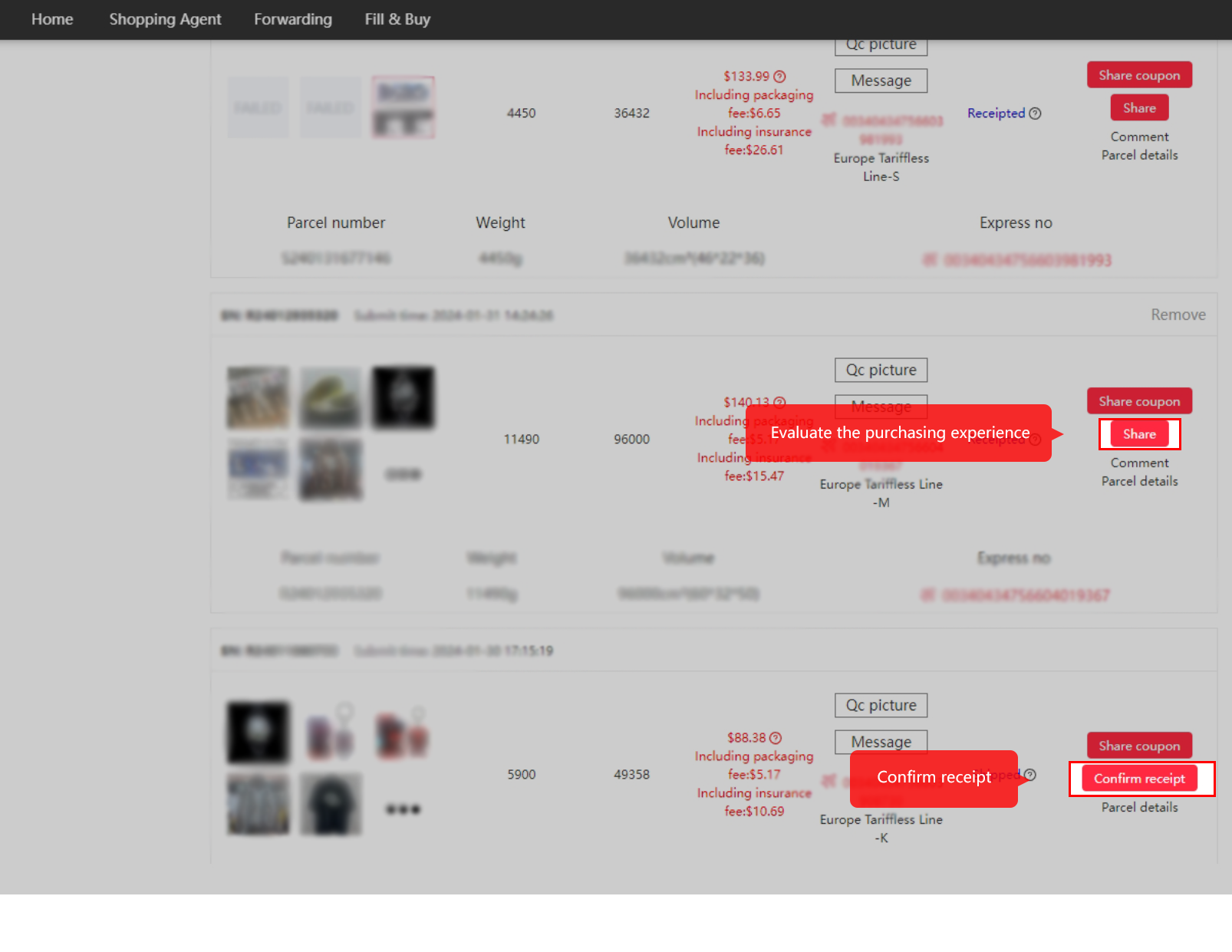
确认收货 · confirm receipt
Inspect the delivered package and contents before confirming receipt. If something is damaged or missing, keep useful photos and report the specific issue through the official order or parcel channel.
How to use the tools on this site
Three tools live here, all built for the same minute of hesitation. The order-line decoder on the home page replays an illustrative order row; tap each Chinese field and it answers with the literal meaning, the practical meaning, and the next detail to check.
The phrase lookup holds the stock sentences sellers and support actually type, searchable by picking the phrase that resembles what you received. It answers with a translation and a suggested reply.
And the dictionary tables are sorted by garment group with romanisation throughout, so a word glimpsed in a QC photo tag or a chat window can be matched by shape. Paste any Chinese term into the home-page search bar and the catalogue answers with product results; the English column works there too.
A first-order checklist
On a small screen, scroll to read every column.
| Before you pay | The field to check | Where it bites |
|---|---|---|
| Size exists for you | 尺码 / 均码 | One size is one offered cut; check its actual measurements. GB codes describe body dimensions. |
| The row ships now | 现货 vs 预售 | Check the seller’s actual presale dispatch date. |
| Set or single piece | 颜色分类 row text | Check whether the selected option includes the set or one item. |
| Remark written | 备注 | Use remarks for a precise request and confirm whether it can be followed. |
| Seller courier fee | 运费 / 包邮 | Freight to the warehouse; 包邮 means that leg is free |
| Platform rules | 1688 起订量 | Minimum quantities void underfilled orders |
Print it, or keep the decoder open in a second tab the first time through. Keep checking the complete selected option even after the vocabulary becomes familiar.
Guide read. The catalogue is the practice field.
Browse the categories